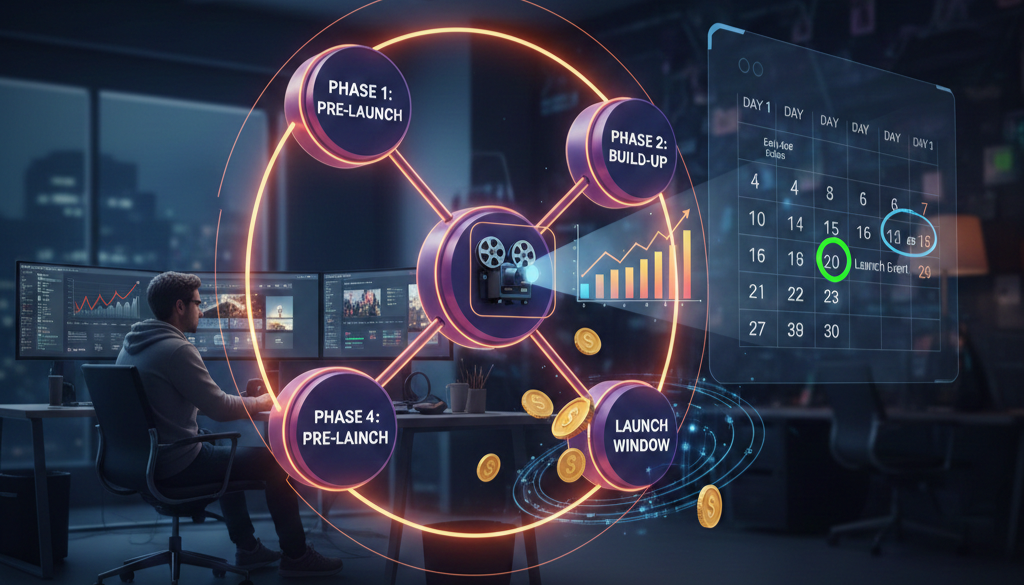
How to Organize a Paid Online Film Premiere: The Complete Playbook
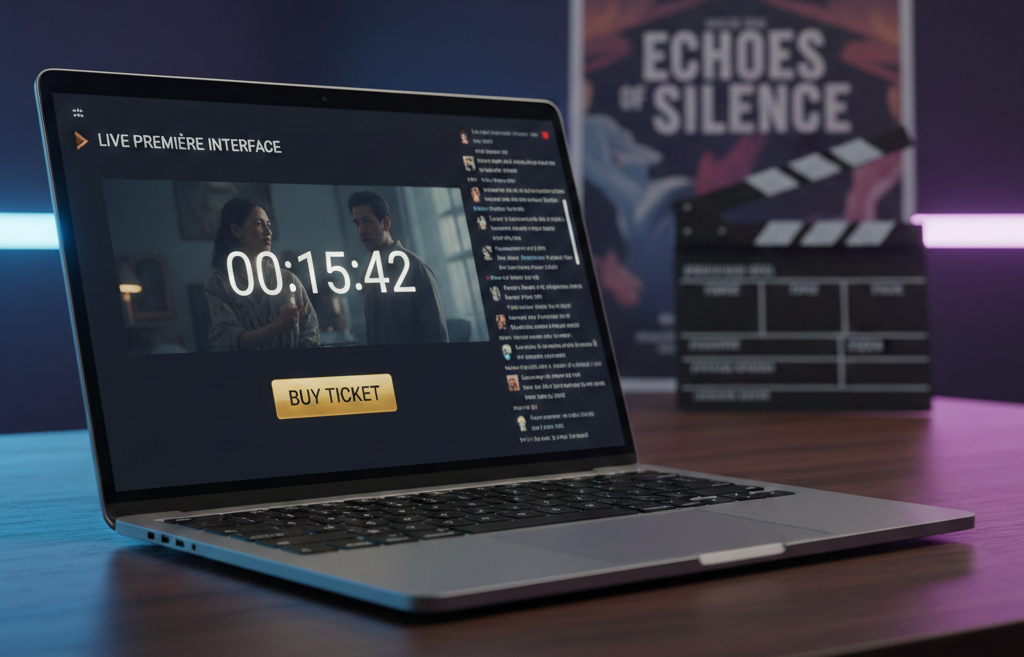
A Paid Premiere Is Not a Screening: It's a Revenue Event
A premiere is not a screening. A screening is passive, the film becomes available and people watch it when they feel like it. A premiere is an event. It has a start time, a live audience, a shared experience, and a reason to show up now rather than later.
For independent filmmakers, the paid online premiere is the single most powerful revenue moment in the entire launch sequence. It's the point where scarcity, urgency, and live experience converge to produce concentrated revenue, more in a few hours than most films generate in months of passive availability. Yet almost no one teaches filmmakers how to actually run one. The guides that exist either date from 2020 (when virtual screenings were a pandemic workaround, not a business strategy) or focus on free events designed for "exposure." Exposure doesn't pay editors. Revenue does.
A screening says: "The film is available. Watch it whenever you want." There's no urgency. No shared experience. No reason to act today. A premiere says: "This film will be shown for the first time, at this specific moment, to a limited audience, with a live experience attached." Every element of that sentence is a conversion lever: first time (novelty), specific moment (deadline), limited audience (scarcity), live experience (value beyond the film itself).
According to data from 104 independent films released since 2018, self-distributed films had the highest probability of breaking even or generating profit (Filmmaker Magazine, 2023). The premiere is the structural mechanism that makes self-distribution work. Without it, self-distribution is just self-uploading. The economics are straightforward: a filmmaker with 600 email subscribers, a $15 premiere ticket, and a 12% conversion rate generates $1,080 in a single evening. The same filmmaker uploading to a VOD platform might generate $1,080 over 18 months, or never. The premiere compresses the revenue timeline. That's the point.
Choose Your Premiere Format
Not all online premieres work the same way. The right format depends on your audience size, your film's length, and how much live interaction you want to include. There are three formats that work for independent filmmakers, each with distinct strengths.
Format 1: The Live Watch Party
The entire audience watches the film together in real time, with a synchronized start. A live chat runs alongside the screening, and the filmmaker (or cast) participates in the chat during the film. After the credits, a live Q&A session begins. This format creates the strongest sense of shared experience: it's the closest online equivalent to a theatrical premiere. It works best for narrative films under 100 minutes and audiences of 50 to 500 people. The simultaneous viewing creates a genuine sense of community that asynchronous access cannot replicate.
Format 2: The Timed Access Window
The film becomes available for a limited period (typically 48 to 72 hours) with a ticketed entry. There's no synchronized viewing, but the window itself creates urgency. This format works well for documentaries, longer films, or audiences spread across multiple time zones where a single start time is impractical. Add a live Q&A at a set time within the window to create an event layer on top of the access. The flexibility of the timed window lowers the barrier for international audiences while preserving scarcity.
Format 3: The Ticketed Premiere Event
This is the highest-value format. It combines a synchronized screening with exclusive elements: a pre-show introduction from the filmmaker, a post-screening live Q&A, and access to bonus materials (behind-the-scenes footage, director's commentary, or a digital download). The "event" framing justifies a higher ticket price because the audience isn't just buying access to a film, they're buying access to an experience that won't repeat. For most independent filmmakers launching their first or second film, Format 3 is the strongest revenue choice. The event framing gives you pricing leverage that a simple screening doesn't.
Set Up the Technical Infrastructure
The technical setup for a paid online premiere requires three components: a hosting platform, a ticketing system, and a communication channel. Getting these right is non-negotiable, a technical failure during your premiere destroys trust and revenue simultaneously.
Hosting Platform
You need a platform that supports ticketed, time-limited access with reliable streaming quality and dependable purchase flows. Event-specific platforms like Eventive (5% + $0.99 per paid order) and Gathr offer integrated ticketing and streaming. They're designed for exactly this use case. The trade-off is that your audience data lives partly on their platform. Ownership-first platforms like TribuShare let you host the premiere on infrastructure you control, with your own ticketing, your own buyer contact records, and your own pricing rules. The advantage is that every email, every transaction, and every viewer interaction stays closer to your ecosystem. For filmmakers building a long-term distribution business, the ownership model compounds value over time. The worst option is streaming through a general-purpose platform like YouTube Live or Twitch: these platforms are designed for free content, the ticketing integrations are clumsy, and the audience expects everything to be free.
Ticketing System
If your hosting platform doesn't include integrated ticketing, you'll need a separate system. The key requirements are: the ability to set a limited number of tickets, early bird pricing tiers, and automatic delivery of access links upon purchase. Every step between "I want to watch" and "I'm watching" that requires manual intervention is a point where you lose buyers.
Communication Channel
Email is your primary premiere promotion channel. If you've followed the 30-day launch framework, your email list is already warmed up by the time the premiere arrives. Your email platform needs to support scheduled sequences, segmentation (buyers vs. non-buyers), and post-event follow-up automation.
Price the Premiere, Not the Film
This is where most filmmakers undervalue their work. They think about what the film is "worth" as a piece of content and price it at $5 or $8, the same range as a random VOD rental. But a premiere is not a rental. A premiere is a live event with exclusive access, a shared experience, and a filmmaker interaction. Price the experience, not the file.
A standard premiere ticket (film access within a timed window) works at $10 to $15 for most independent films. A premiere event ticket (synchronized screening + live Q&A + bonus content) justifies $15 to $25. A premium tier (premiere + digital download + signed poster or exclusive behind-the-scenes package) can reach $35 to $50 for filmmakers with an engaged audience. This tier won't be your highest volume, but it will be your highest revenue-per-viewer, and the buyers at this tier are your most loyal supporters.
Tiered pricing works because it lets each audience segment self-select based on willingness to pay. The standard tier captures volume. The premium tier captures maximum value per viewer. Both contribute to total premiere revenue. One critical pricing decision: set an early bird window. Offer a discounted ticket (15–20% off) for the first 48–72 hours of ticket sales. This rewards your most engaged audience, generates early revenue which builds momentum and social proof, and creates a deadline within the promotion period. A deeper breakdown of pricing strategies is covered in How to Price Your Independent Film.
Build the Countdown Sequence (14 Days Out)
The premiere itself lasts a few hours. The countdown that fills it lasts 14 days. This is the promotional sequence that converts your audience from "interested" to "ticket purchased."
Day 14: Announce the Premiere
Send the first email to your full list. Include: the date and time, the format (what the experience will include), the price (with early bird pricing highlighted), and a direct link to buy tickets. This email should feel like an invitation, not a sales pitch. You're inviting your audience to be part of a one-time event that won't repeat.
Day 10: Share a Behind-the-Scenes Moment
This email isn't about selling tickets directly. It's about deepening the emotional connection. Share something personal: why you made the film, a moment from production that changed you, or a short clip that won't appear anywhere else. Emotional investment converts better than promotional pressure. The audience needs to feel that buying a ticket matters beyond the transaction itself.
Day 7: Social Proof and Early Bird Close
If your early bird window is closing, send a reminder. Include social proof: "Over 80 tickets sold in the first 48 hours" or "Viewers from 12 countries have already reserved their spot." Numbers create momentum. Momentum creates FOMO. FOMO creates ticket sales. If you can announce the live Q&A participants at this stage, do it, confirmation of who will be present increases the perceived value of the event.
Day 3: Final Push Email
This is the most important email in the sequence. Subject line should communicate finality: "3 days until premiere: limited tickets remaining." Include everything: the date, time, price, what's included, and a one-click purchase link. Remove every possible obstacle between reading the email and buying the ticket.
Day 1: Last Call
A short, direct email: "Tomorrow night. [Film Title]. [Time]. [Buy your ticket now]." This is not the place for long copy. It's the place for clarity and urgency. Throughout this 14-day sequence, mirror the email content on your social channels, but always drive back to the email signup or the ticket page. Social media amplifies; email converts.
Run the Live Premiere: The Day-Of Checklist
Premiere day is execution, not strategy. Every decision should already be made.
4 hours before: Test your streaming setup completely. Upload the film to the hosting platform if not already done. Verify that all ticket holders have received their access links. Confirm that the live chat or Q&A tool is functioning. Send a reminder email to all ticket holders: "Your premiere starts in 4 hours, here's your access link."
1 hour before: Go live on social media with a countdown post. If you're doing a pre-show (recommended), start the stream 15 minutes before the film to welcome early arrivals. This pre-show can be as simple as the filmmaker on camera, thanking the audience for being there, and sharing a brief introduction to the film. The pre-show makes the event feel like an event, not just a play button.
Film starts: Start the film on schedule. If you're running a live watch party format, be active in the chat, but don't overwhelm it. A comment every 10–15 minutes keeps the connection alive without distracting from the film.
Film ends + Q&A: Transition immediately to the Q&A. Don't let the energy drop. The first question should be pre-loaded (have a friend or collaborator ready to ask it) to avoid the awkward silence that kills live events. Run the Q&A for 20–30 minutes. End with a clear call to action: "If you loved the film, share it with one person who needs to see it. And if you missed the premiere, there will be a limited replay window, stay tuned."
Post-premiere (same evening): Send a "Thank you" email to all attendees within 2 hours of the event ending. Include: a thank you message, a link to share the film, and a teaser for the replay window. This email cements the relationship while the emotional high is still fresh.
After the Premiere: Capture the Second Wave
The premiere generates the revenue peak. The post-premiere period captures everything the premiere didn't.
Replay Window
Offer a 48- to 72-hour replay window for premiere ticket holders. This accommodates viewers who bought tickets but couldn't attend live (time zone conflicts, life happens). The replay window is included in the original ticket price: it's not a new sale, it's a fulfillment promise. Honoring it builds trust that will carry into your next release.
Non-Buyer Follow-Up
Within 24 hours of the premiere, send an email to your list segment that didn't buy tickets. Include social proof from the premiere (viewer count, testimonials, social media reactions), and a limited-time offer to watch the film at the standard price. Frame this as "you missed the premiere, but you can still watch: for the next 5 days." The scarcity of the premiere is gone, but you replace it with a new deadline.
Data Collection and Second Revenue Window
After the premiere window closes, document everything: total tickets sold, revenue by tier, conversion rate from email list, geographic distribution, peak concurrent viewers, Q&A engagement rate. Platforms like TribuShare provide this data natively because they're designed for event-driven distribution, unlike general VOD platforms where your viewer data is fragmented or inaccessible. After a gap of 7–14 days (where the film is not available), consider reopening access at a higher price point or in a different format. The gap between premiere and second window is essential: without it, there's no urgency to buy during the premiere.
Frequently Asked Questions
How many people do I need on my email list to run a paid premiere? A minimum of 200–300 engaged subscribers makes a paid premiere viable. With a 10–15% conversion rate and a $15 ticket, that's $300 to $675 in premiere revenue. Not transformative, but enough to validate the model and build data for your next release. Filmmakers with 1,000+ subscribers can generate $1,500 to $3,000+ in a single premiere event.
What's the best platform for hosting a paid online premiere? It depends on your priority. If you want a turnkey solution with integrated ticketing and streaming, Eventive and Gathr are solid options. If you want full ownership of your audience data, pricing, and distribution infrastructure, TribuShare is built specifically for event-driven film launches where the filmmaker controls the entire experience.
Can I run a paid premiere for a short film? Yes, but the pricing and format need to adjust. A single short film at $15 is a hard sell. Bundle 3–5 shorts into a "premiere program," add a live Q&A with the filmmakers, and price the event at $10–12. The bundle creates enough perceived value to justify the ticket, and the live element makes it an event rather than a playlist.
What if only 20 people buy tickets? Twenty paying viewers at $15 each is $300. That's $300 more than a film that sits on a VOD platform generating $0.03 per stream. But more importantly, 20 buyers give you 20 data points: who they are, where they live, what they paid. That data informs every future decision. Scale comes from repetition and list growth, not from a single premiere.
Should I offer a free stream alongside the paid premiere? No. A free option next to a paid option destroys the paid option. If viewers can watch for free, very few will pay. Scarcity requires actual constraints, not optional ones.
Final Thought
Every independent film deserves a premiere. Not a link drop. Not a silent upload. A premiere: a structured, ticketed, live event that treats the audience as participants, not passive consumers, and treats the filmmaker's work as something worth paying for. The tools exist. The platforms exist. What's been missing is the playbook, the operational sequence that turns a file on a server into an event that generates revenue. Upload is not a premiere. Availability is not an event. A premiere is designed. It has a countdown, a live moment, and a deliberate end. Independent filmmakers who build this capability don't just release films: they launch businesses.